PS3 Media Server on Ubuntu 10.04
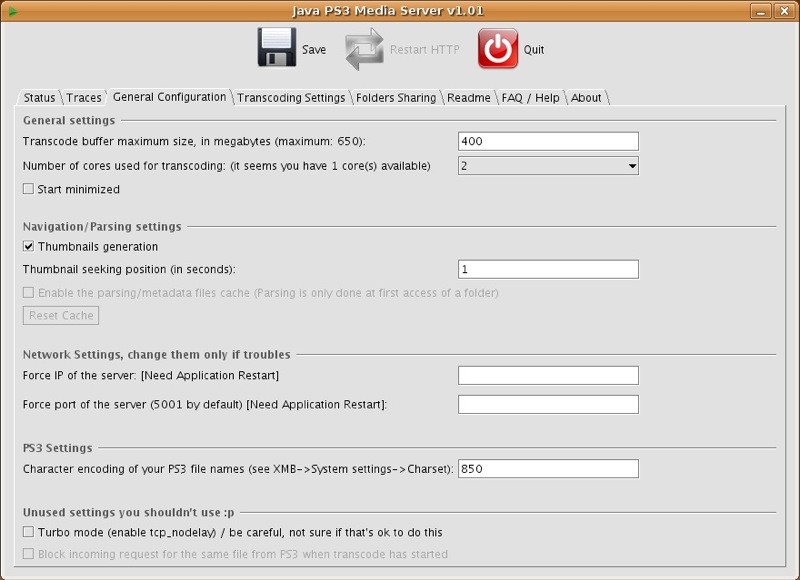
If you’re like me and you like to reduce the clutter in your loungeroom, but still want to be able to watch all your recorded TV shows and backed up DVDs, PS3 media server(PMS) might be something worth looking at. It’s stupidly easy to get up and running on Windows (i.e. as long as you have java installed you can just click and run), but on Linux it needs an extra step or two.
Many thanks to Mjohns930 over at the ps3mediaserver.org forum for his post which was the basis for this howto.
Step 1: Get the pre-requisites.
Open a terminal and run the following command, answering yes when it asks you to confirm that you want to install these packages:
sudo aptitude install mplayer mencoder ffmpeg sun-java6-jre
Step 2: Get PMS and unpack it.
Download the latest linux/unix Stable release from here and save it to your home folder, then extract it with the following command.
cd ~/
tar xzf pms-linux-x.xx.x.tgz
Step 3: Move PMS to the opt folder and give it rights to run.
mkdir /opt
mv ~/pms-linux-x.xx.x/ /opt/pms
cd /opt/pms
sudo chmod +x PMS.sh
sudo chmod +x linux/tsmuxer
Step 4: Modify the config.
gedit PMS.conf
Delete anything which is already there and pop in this basic config:
thumbnails = true
thumbnail_seek_pos = 300
mencoder_ass = true
folders = \/path\/to\/folder\/1, \/path\/to\/folder\/2
hide_videosettings = true
hide_enginenames = true
audiochannels = 2
Step 5: Run PMS and see if it works correctly. Fire up your PS3 so it’s ready to run, then do:
cd /opt/pms
./PMS.sh
The terminal will fill with text, and the PMS main window should pop up. When you check on your PS3, you should be able to browse the folder you added and play some videos.
If it all works the way you want it to, close the window. You can launch it like this whenever you need it, but it’s best to have it autolaunch in headless mode when your system starts so it doesn’t clutter your desktop.
Step 6: Making PMS start on boot.
cd /etc/init.d
sudo gedit startpms
In the new file, paste the following:
#!/bin/bash
cd /opt/pms
nohup ./PMS.sh &
exit
Save the file, then make sure it’s executable:
sudo chmod +x startpms
and insert it into your startup config
sudo update-rc.d startpms defaults
[digg=http://digg.com/linux_unix/PS3_Media_Server_on_Ubuntu]